Why I Tried This
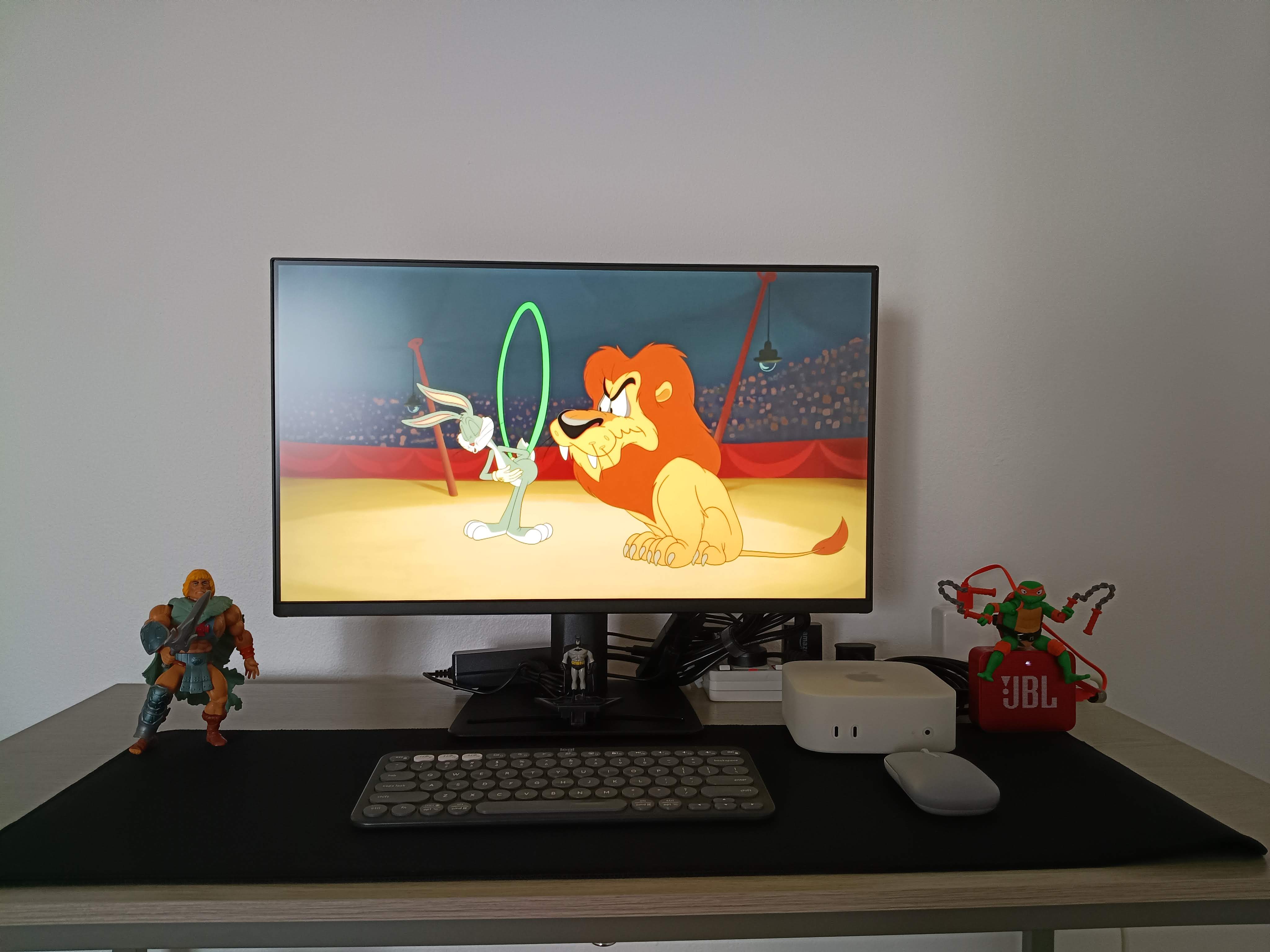
Since moving into our rental, we haven’t bought a television yet. What I did buy was an MSI monitor that I normally use with my Mac mini for job applications, an Amazon Fire TV Stick I brought with me from India, and a JBL GO 2 Bluetooth speaker that we originally bought during the COVID pandemic for online schooling.
Rather than buying a TV immediately, I wondered if I could get by for a few weeks using what I already owned. It wasn’t intended to replace a proper television; we rarely watched broadcast TV anyway and mostly relied on streaming services, so I just wanted something I could use for YouTube and the occasional movie in the evenings.
It turned out to be a perfectly reasonable temporary solution.
The Setup
The Fire TV Stick connected to the monitor exactly as it would to a television. Since my monitor doesn’t have built-in speakers, I paired it with my JBL GO 2 for audio. Once everything was connected, the setup behaved just like any other Fire TV device.
Pairing a Bluetooth Speaker
Pairing the speaker only takes a few moments.
After selecting your profile on the Fire TV home screen:
- Navigate to Settings & select Controllers & Bluetooth Devices.
- Select Other Bluetooth Devices.
- Select your speaker from the list to pair.
For me that was the JBL GO 2.
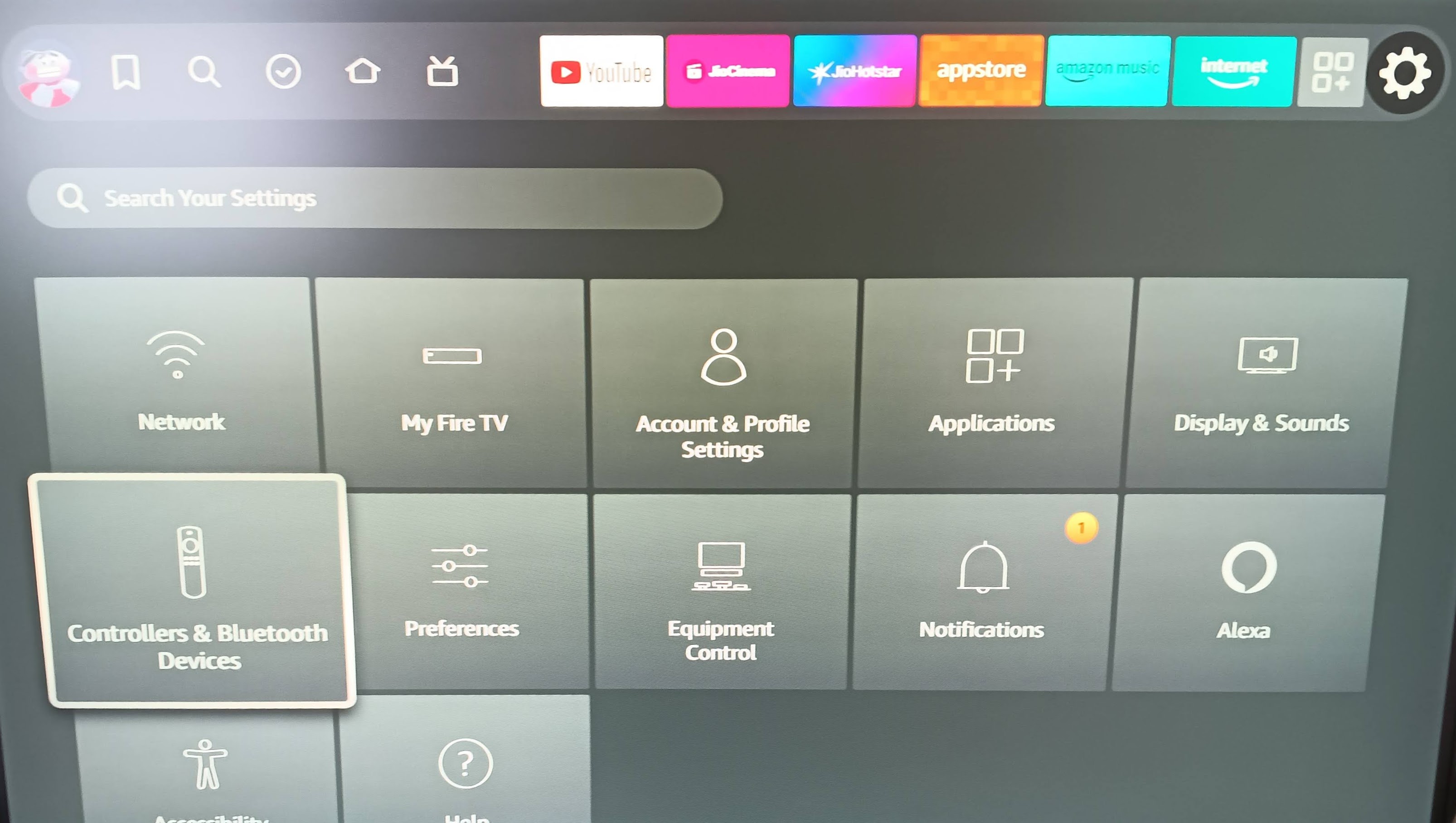
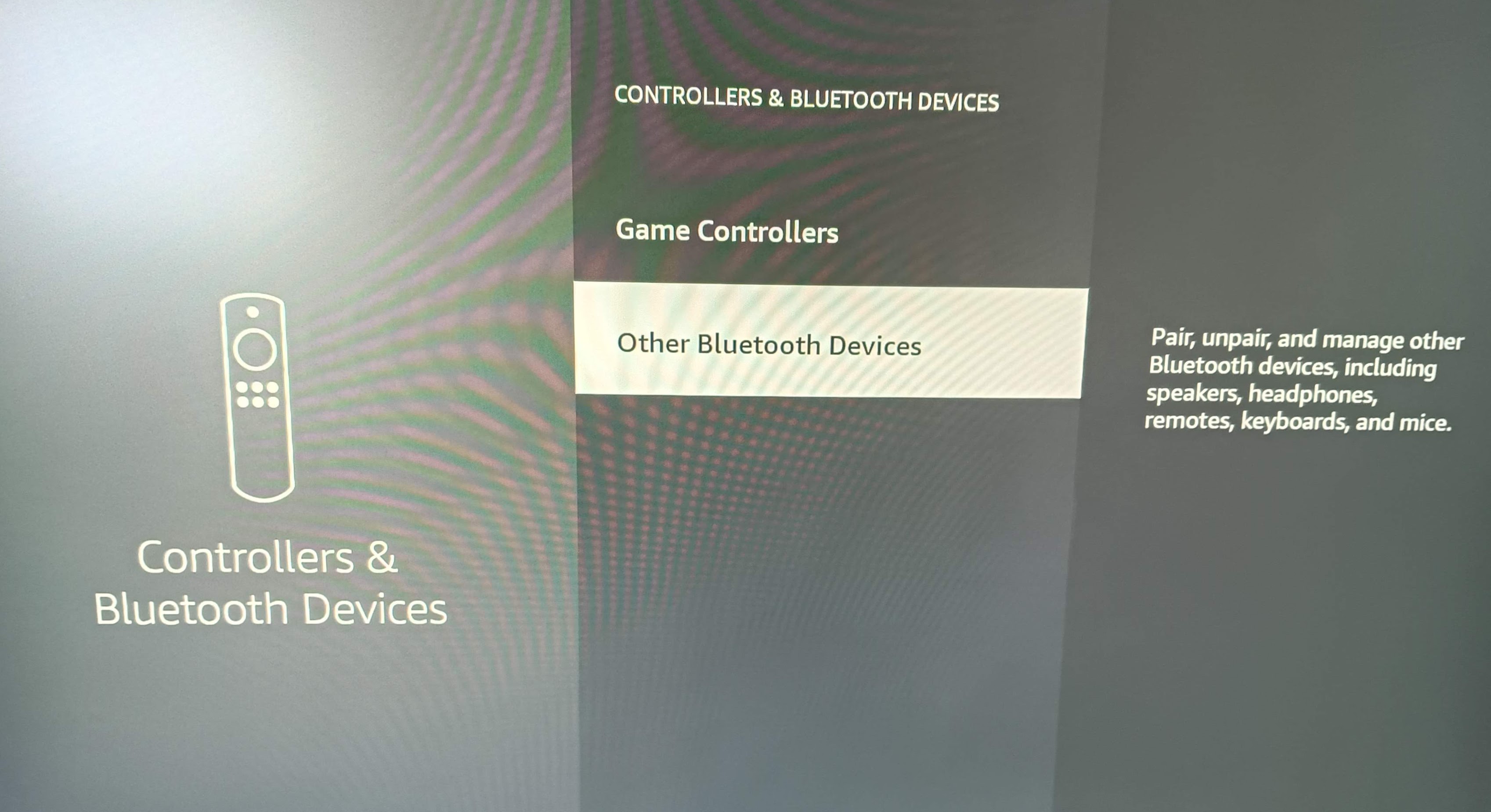
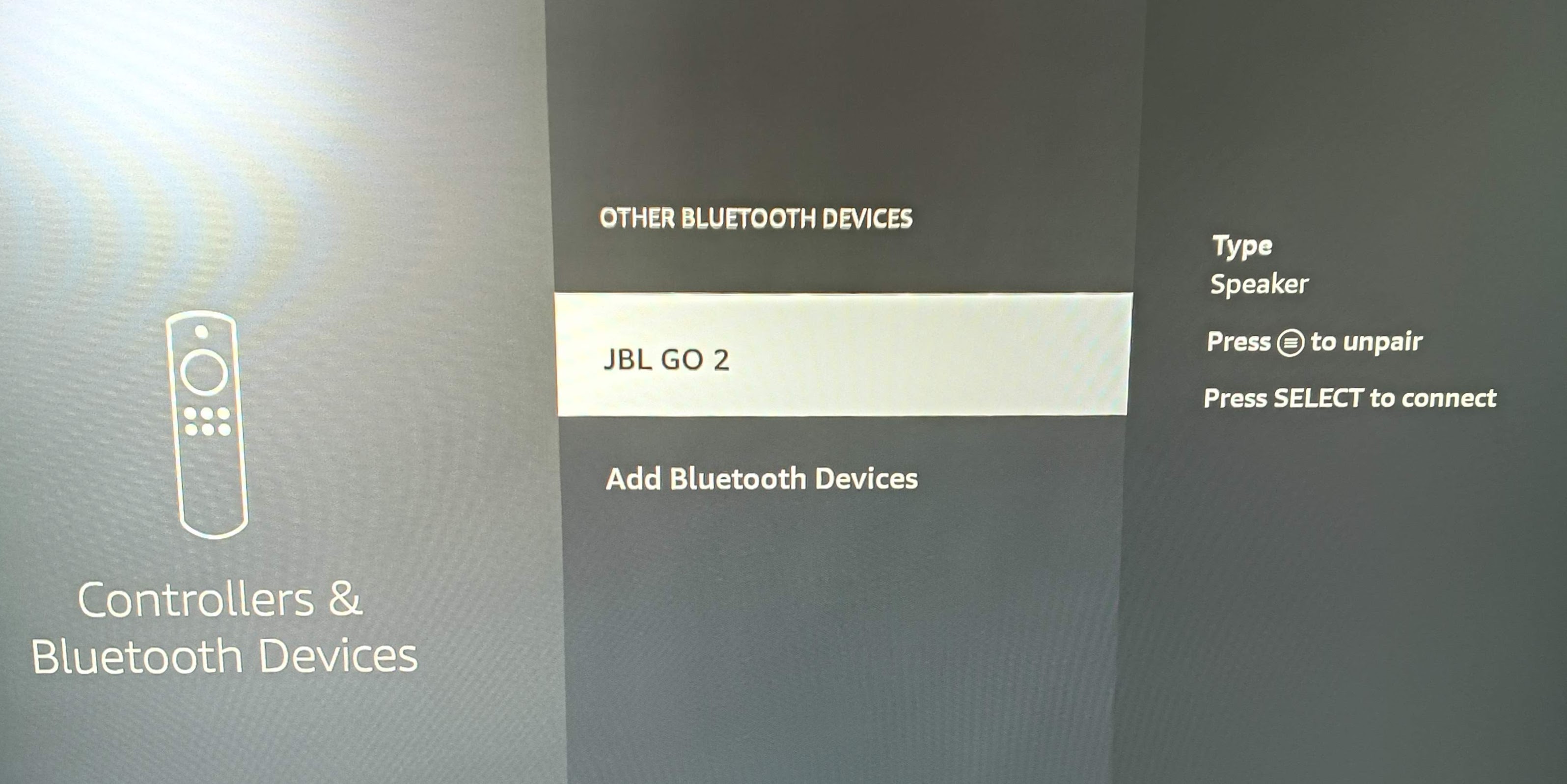
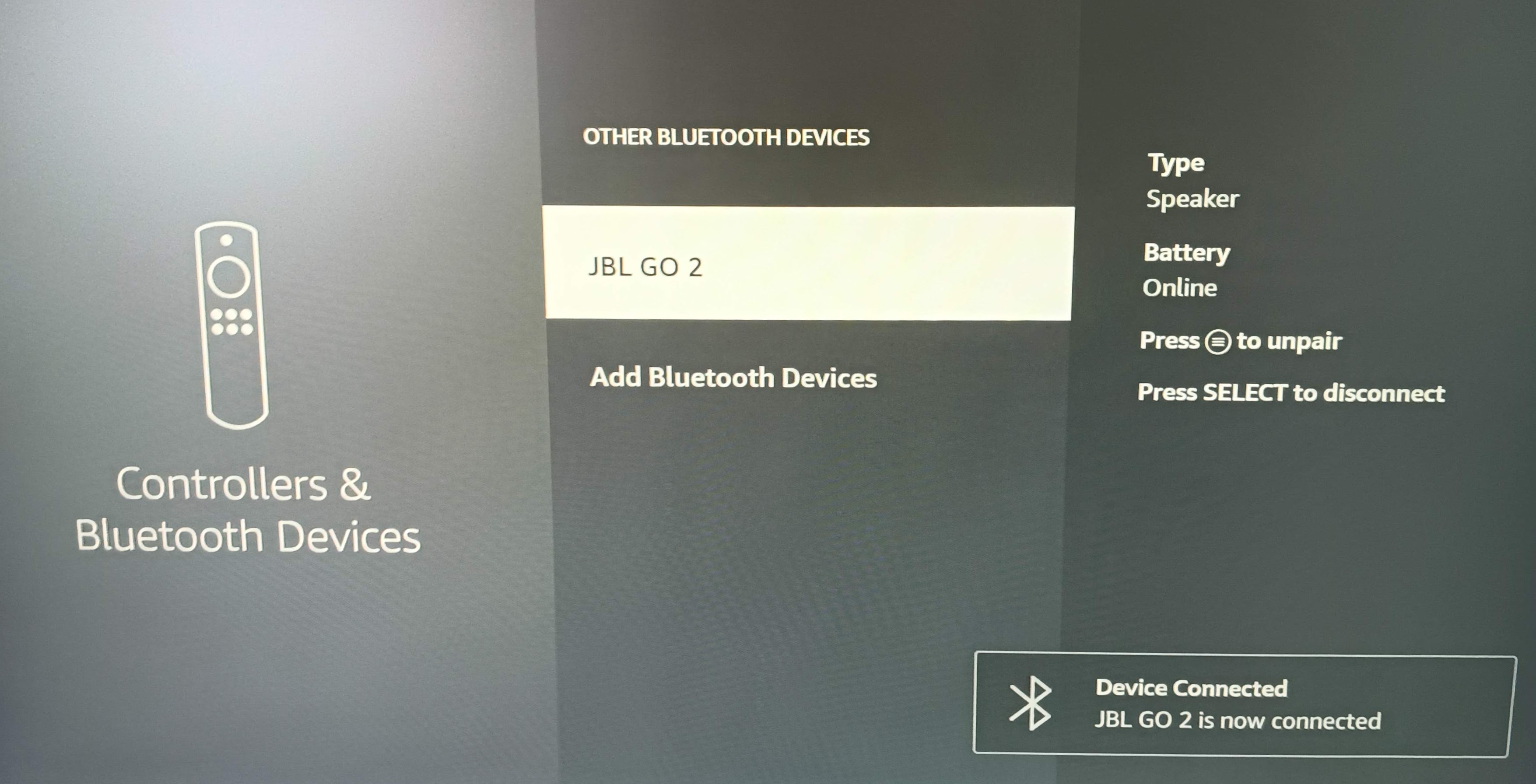
Once paired, audio automatically plays through the speaker.
How Well Does It Work?
For streaming apps like YouTube, it works exactly as I’d hoped.
The picture quality is determined by your monitor, so if you already have a decent IPS display, video looks excellent. The JBL GO 2 obviously isn’t a replacement for a soundbar, but it’s more than adequate for casual viewing and quite loud as well! The only real compromise is convenience. You still need to power the monitor on separately, and monitors generally don’t include the TV specific features that many people are used to.
Would I Recommend It?
If you’re between moves, waiting for furniture to arrive, living in temporary accommodation or simply have a spare monitor sitting around, I’d say it’s worth trying before buying another screen. As I said earlier, this isn’t meant to replace a television, but if you already own the hardware, there’s very little effort involved in giving it a go. In my case, it solved a small problem without spending any extra money, and that’s sometimes all you really need.
If you’ve done something similar or found another use for an old monitor, I’d be interested to hear about it in the comments.
Consider subscribing to my YouTube channel & follow me on X(Twitter).
Share this article if you found it useful!
